Create a New Strategic Plan
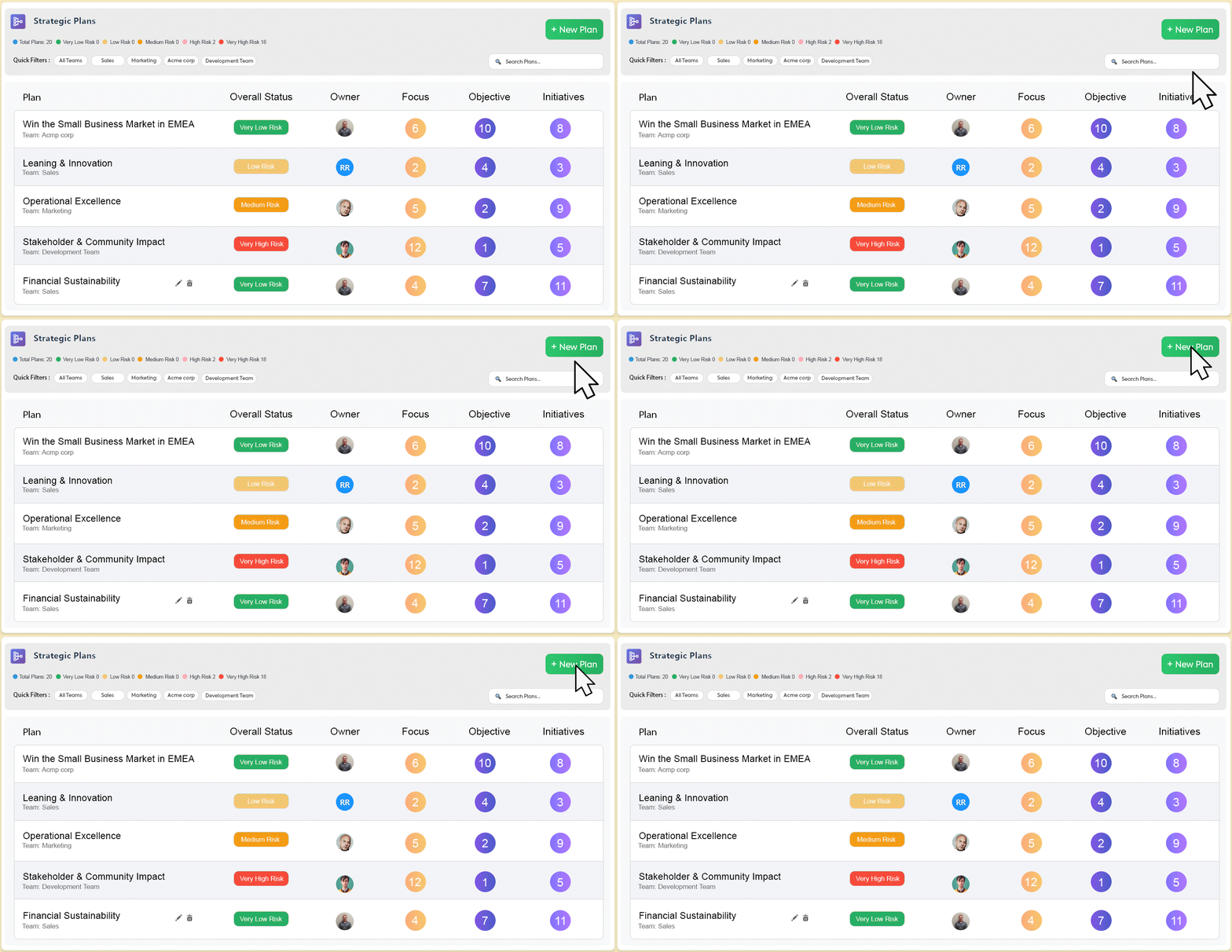
To create a new plan, click the + New Plan button at the top-right corner of the page.This will open the Create Strategic Plan window, where you can define your plan’s name, description, mission, team, owners, and access level.
Create a New Strategic Plan
You can create a new Strategic Plan in OKRify to define your organization’s long-term direction and vision. Follow the steps below to set up your plan.
Step 1: Enter the Basic Details
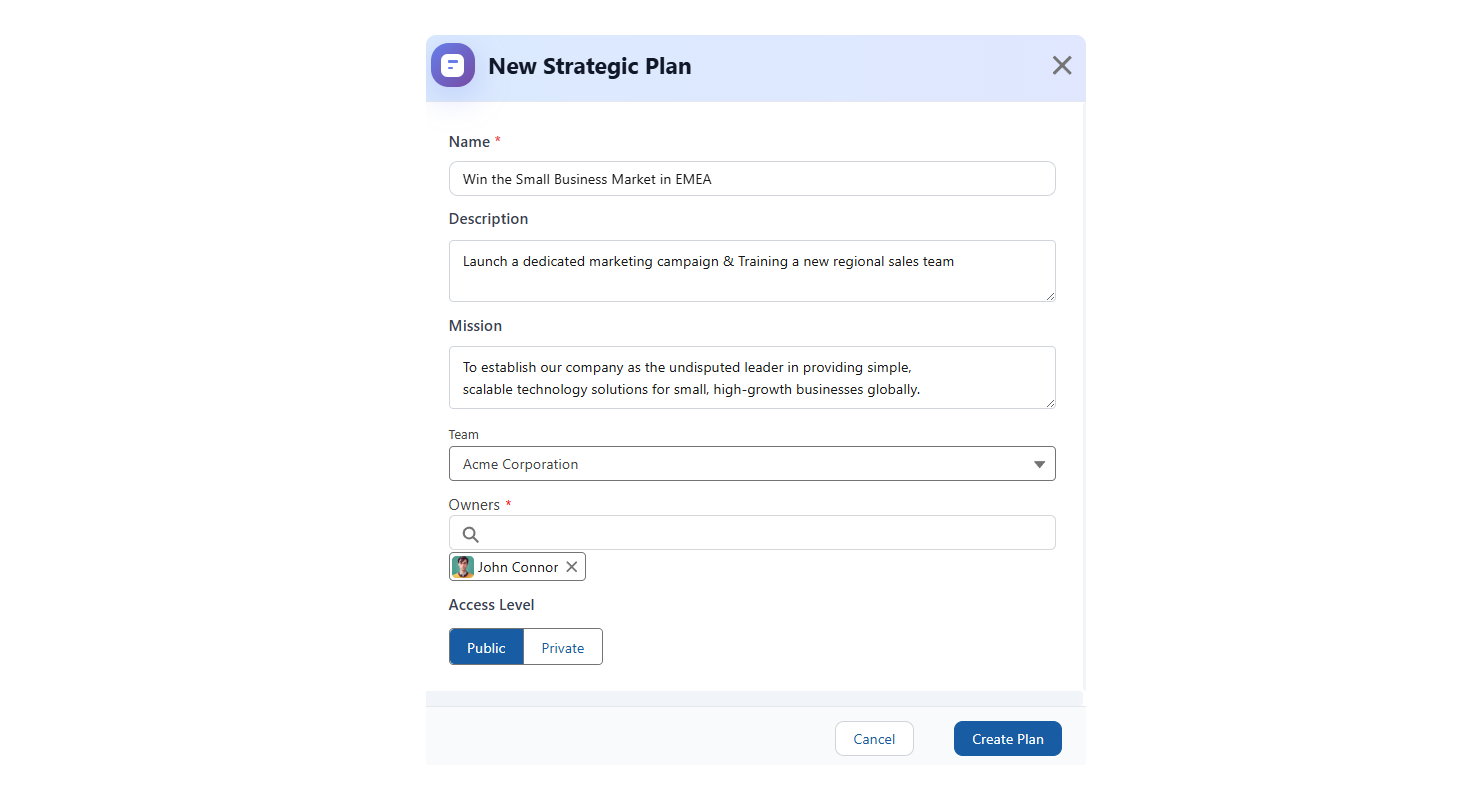
Name (Required)
Give your plan a short, inspirational title that clearly states the goal.
Description
Add a clear summary of what the plan covers. Mention the focus areas and 2–3 key deliverables.
Step 2: Define the Long-Term Vision (Mission)
The Mission field explains the “why” behind your strategic plan. It defines the bigger vision your plan supports.
Step 3: Assign Accountability
Define who is responsible for executing and driving the success of the plan.
Team
Select the main department or business unit responsible for leading the plan.
Owners (Required)
Select one or two senior leaders accountable for achieving the plan outcomes.
Step 4: Set the Visibility
Choose the visibility level for your strategic plan.
Public – Recommended for most strategic plans. Makes the plan visible to everyone, promoting company-wide alignment.
Example: A company-wide growth plan visible to all employees.
Private – Use for confidential plans (e.g., M&A or sensitive legal projects).
Example: A confidential plan for a new market entry or merger project.
Step 5: Finalize and Launch
Review all details to make sure your plan is clear, well-defined, and assigned to the right owners.
Click Create Plan to save and activate your new Strategic Plan.
